BY HELIX/EQZITARA
06/19
Small improvements to no crosshair version.
NEW VERSION
See top video for features. If you find any issues with new patch please leave a comment below. If interested in my thoughts on game / Optimizations / 2D/3D review check my blog @ http://ramblingsofa3dgamer.blogspot.com/2013/04/borderlands-2.html
Custom Hud Depth
Adjust your depth/convergence settings then using F1-F6. Find which hud suits you. Regardless of which you chose holding right click will force max Hud depth till released then will revert back to your choice.
F1: Max Depth Hud
F2-F6: Custom Hud Depth settings.
Gunsights
Hold down right mouse click and adjust convergence till you are happy with gunsights then click F7.
Gunzerker
Playing as Gunzerker is not recommended with patch. He is playable but his "Gunzerking" conflicts with gunsights.
THIS IS IMPORTANT PLEASE READ INSTALLATION IN FULL
-You must use Alice Madness Returns Profile!(Nvidia assigned the wrong profile to game)
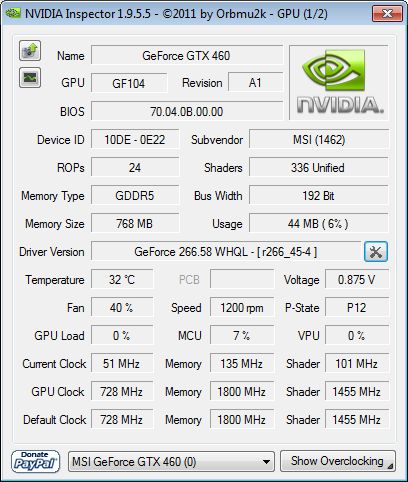
Use nvidia inspector to do this. Open nvidia inspector. Click wrench/screwdriver icon. Select Borderlands 2 in drop down. Remove Borderlands 2.exe. Save. Select Alice Madness Returns. Add Borderlands2.exe[..\steam\steamapps\common\Borderlands 2\Binaries\Win32]. Save. Play.
Sli Compatibility Bits: 0x02406405 ::: AntiAliasing Compatibility 0x200012C1
-Field of Vision[FOV]
If you are adjusting from the default in game FOV. It is recommended not to exceed 95 FOV.
Sli Compatibility Bits: 0x02406405 ::: AntiAliasing Compatibility 0x200012C1
-Field of Vision[FOV]
If you are adjusting from the default in game FOV. It is recommended not to exceed 95 FOV.
Install to...
..\steam\steamapps\common\Borderlands 2\Binaries\Win32
SHADEROVERRIDE [VERSION 1.02 OR LATER]
No Crosshair Version[Experimental]
You may have to tweak convergence to get this to work. Crosshair is removed but will reappear when right click is held down (for scoped weapons and rifles). Long story short I seperated the crosshair out as much as possible then punched a whole in the middle of hud screen. It works pretty well but it may cause certain hud elements to not show correctly when they are in same position that crosshair was in. I will not be offering additional support on this method.
..\steam\steamapps\common\Borderlands 2\Binaries\Win32
SHADEROVERRIDE [VERSION 1.02 OR LATER]
If you crash on game launcher
Right click on the game --> properties --> define Startup Commands.
Add the start command -NoLauncher , into the Steam startup commands.
Special thanks to those that helped me out. Too many names to mention and I don't want to miss anyone. A very special thanks to 3DVISION-BLOG who helped publicize for me. Really motivated me to do my best.
No Crosshair Version[Experimental]
You may have to tweak convergence to get this to work. Crosshair is removed but will reappear when right click is held down (for scoped weapons and rifles). Long story short I seperated the crosshair out as much as possible then punched a whole in the middle of hud screen. It works pretty well but it may cause certain hud elements to not show correctly when they are in same position that crosshair was in. I will not be offering additional support on this method.
..\steam\steamapps\common\Borderlands 2\Binaries\Win32
SHADEROVERRIDE [VERSION 1.02 OR LATER]
If you crash on game launcher
Right click on the game --> properties --> define Startup Commands.
Add the start command -NoLauncher , into the Steam startup commands.
Special thanks to those that helped me out. Too many names to mention and I don't want to miss anyone. A very special thanks to 3DVISION-BLOG who helped publicize for me. Really motivated me to do my best.

0 comments:
Post a Comment